Intro
Generating 3D geometry from datasets is fun, no matter what one does or how it’s done. A Digital Elevation Model (DEM) is a representation of the bare ground (bare earth) topographic surface of the Earth excluding trees, buildings, and any other surface objects. USGS DEMs used to be generated from topographic maps and are being systematically replaced with data derived from high-resolution LIDAR datasets.
If you own a newer generation iPhone, you can try to use LIDAR with this app
Here is a scan of my dog (using Lidar)
How it works.
DEM are generally presented in three formats:
- Art ASCII Grid
- GeoTiff (Usually 16/32 bit)
- Image
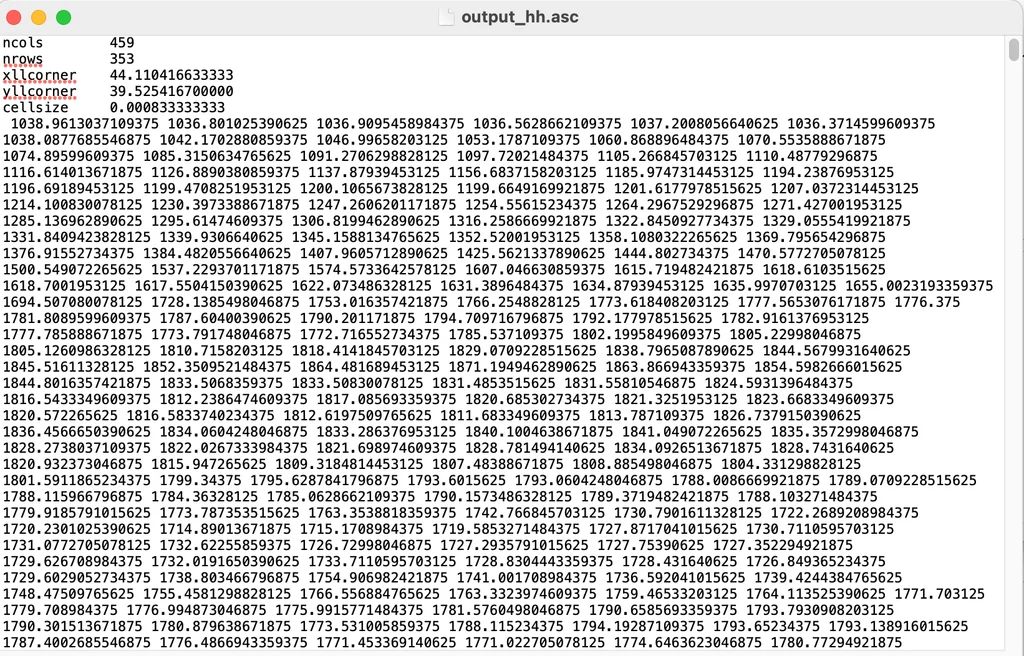
Below here is the dataset of Mount Ararat in Armenia in ASCII format
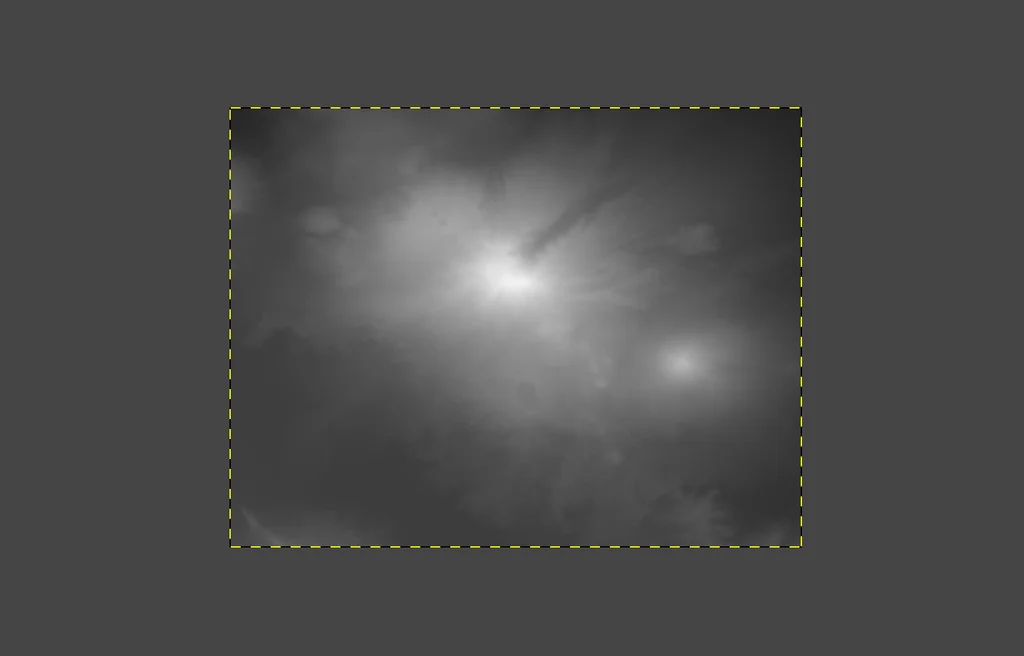
And below here, the same dataset as GeoTiff
Houdini
In Houdini, there is a neat node called “Attribute From Map” that does exactly what it says: create an attribute from data contained in an image.
As an example:
Say you have a DEM image dataset with a square size of 1024px:
- Create a grid, 1x1
- Resolution: 1024 rows, 1024 columns
- Plug in the “Attribute From Map” node. Load the TIFF.
- Read the data into a float attribute; let’s call it “height.”
- Map the height to the Y value of the points of the grid in VEX.
# VEX
@P.y = @height;

// Optionally remap the @height attribute
@height *= 0.2;
@P.y = @height;
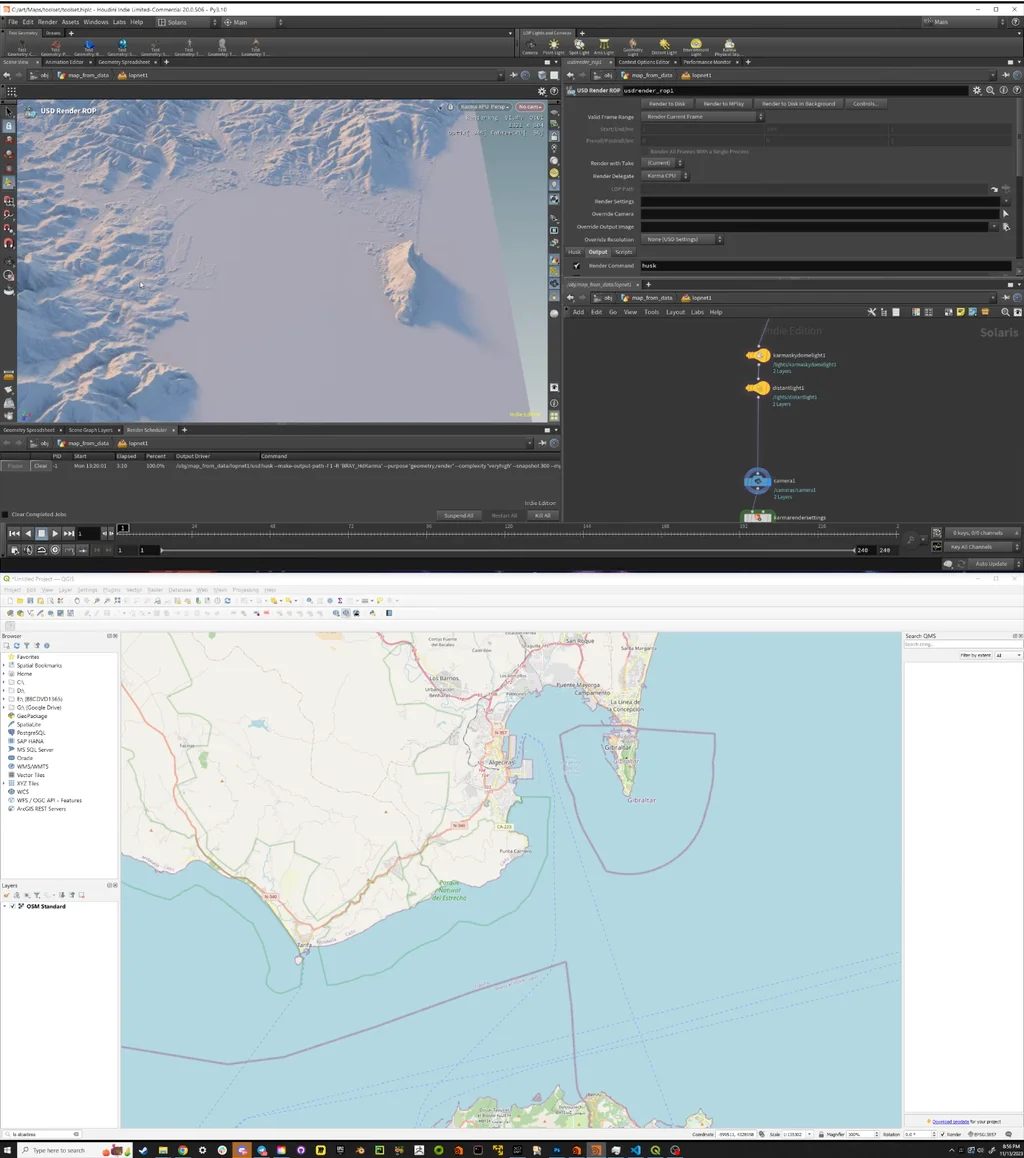
In the example below, created a landscape from the DEMs of Gibraltar(UK), La Linea de la Conception (Spain)
The USA DEMs @ Yahoo
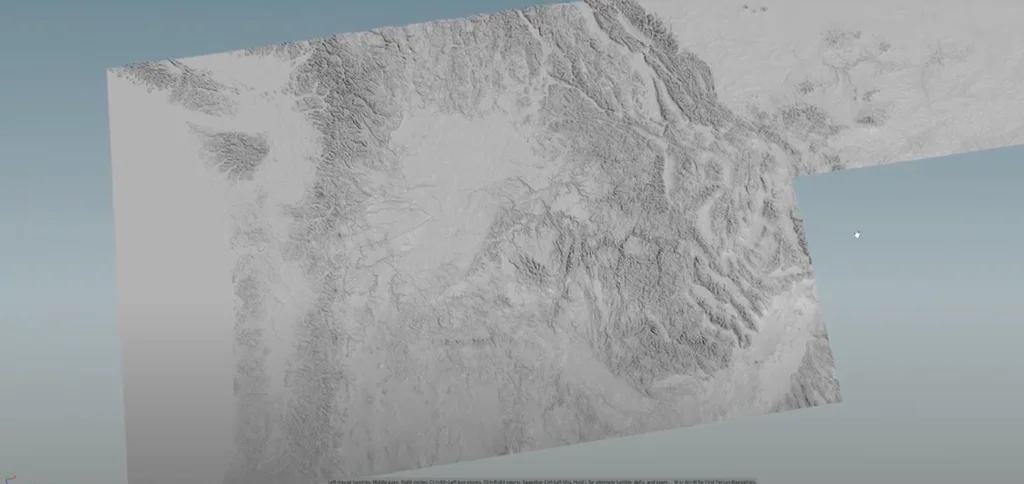
At Yahoo, I created several DEM landscapes, specifically involving the USA. Here are some examples and use cases: